Decision Maker: Free & Random Decision Maker Online
Overcome decision paralysis in seconds. Our free online Decision Maker helps you choose between options effortlessly and get instant, completely unbiased results whenever you're feeling stuck.
What do you want to decide?
What are all your choices?
Want a more visual way?
Try our new fast and fun Spinner Wheel!
Celebrate your wins!
Try out our interactive Pop Confetti tool for some instant joy.
How to Make Random Decisions with our Decision Maker for Free?
-
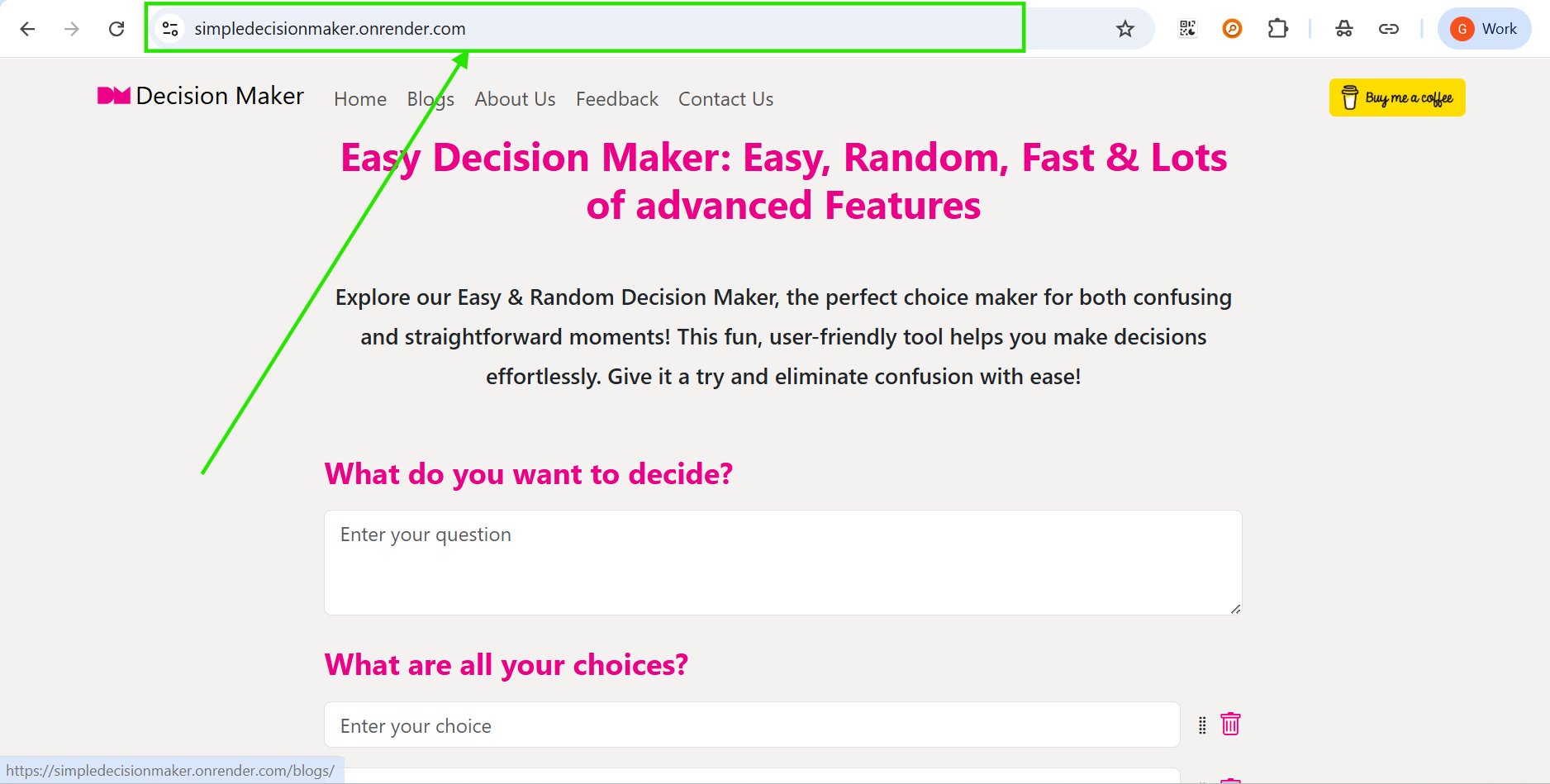
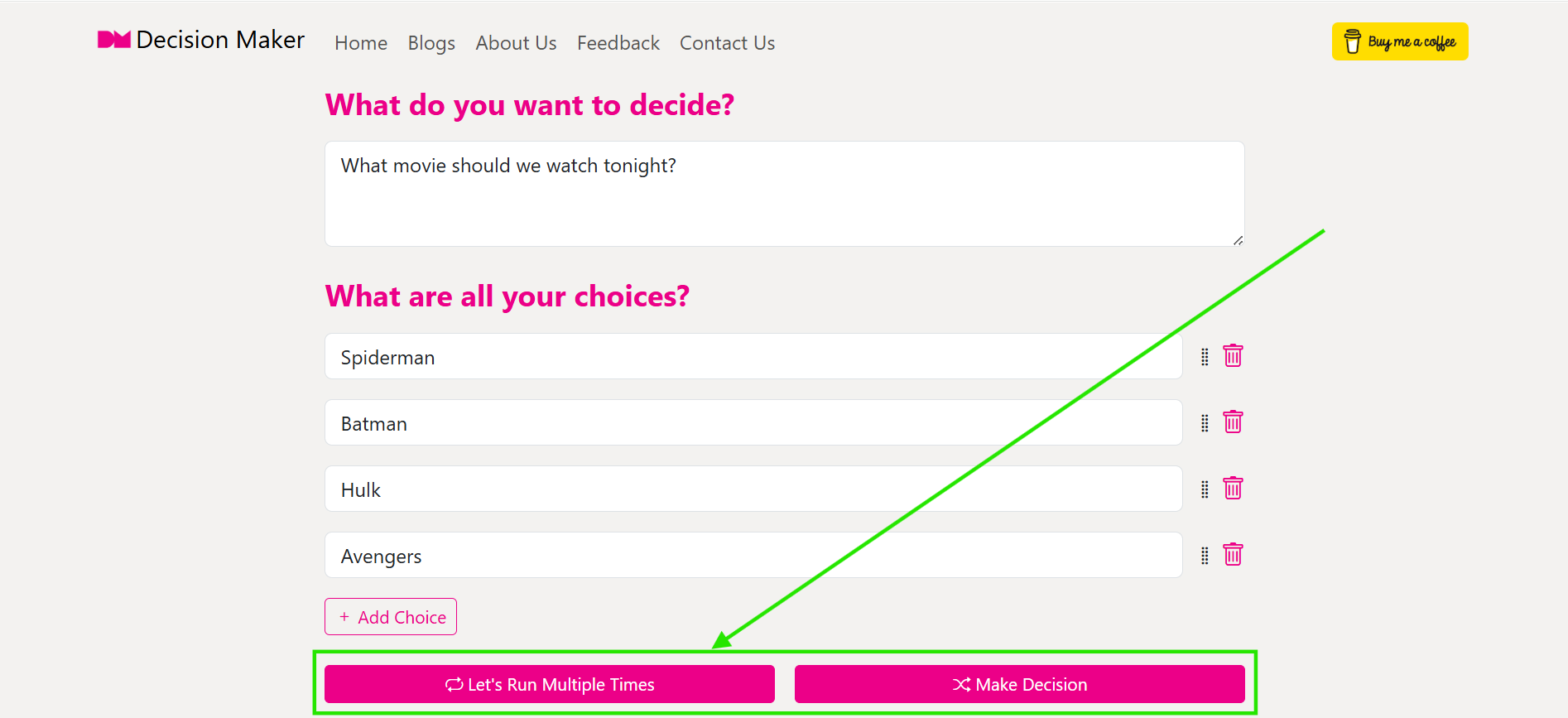
Open our Decision Maker Tool
Visit Decision Maker website. Our tool is completely web-based, meaning there is no need to download any apps or sign up for an account. It is designed to be lightweight and responsive, so it works perfectly on your smartphone, tablet, or desktop computer whenever you're feeling stuck.
-
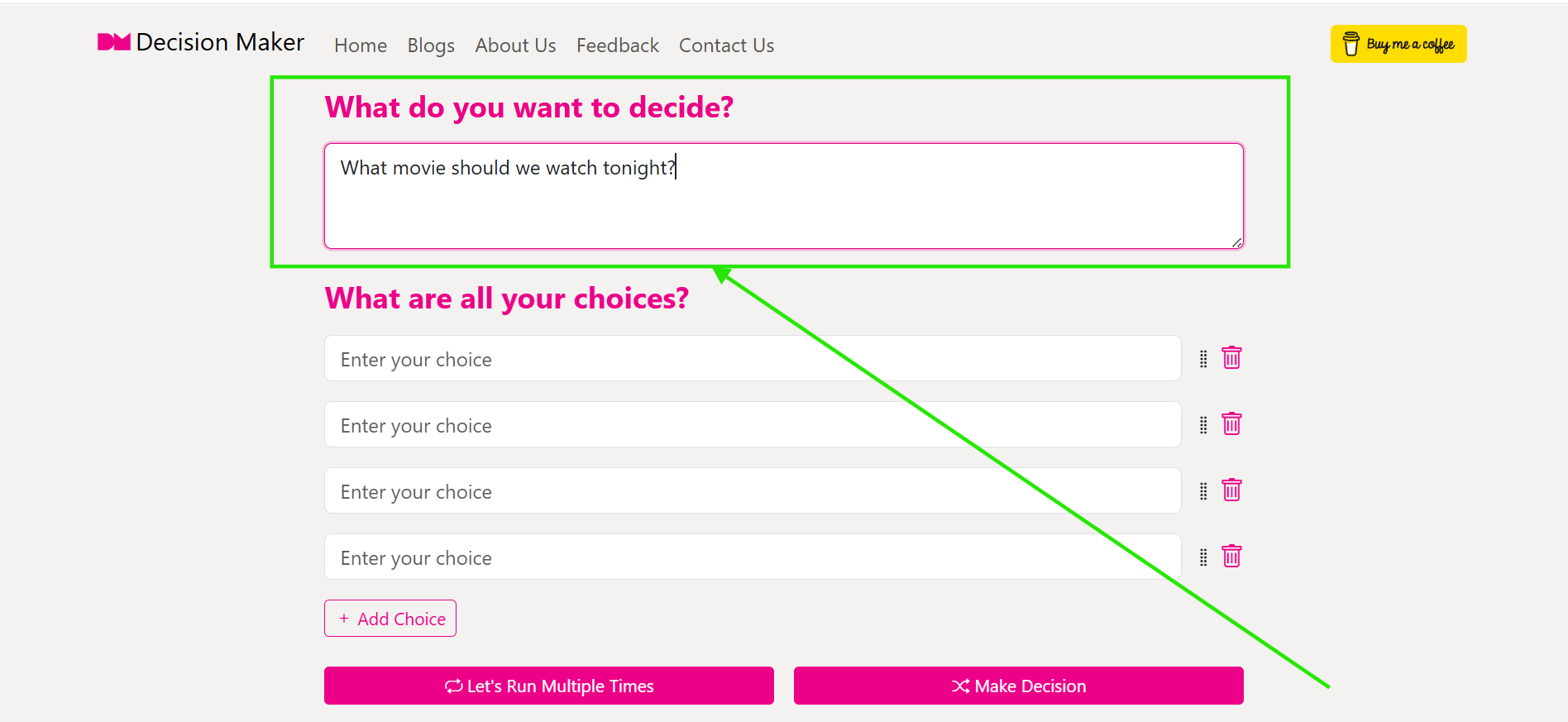
Enter the Question You Want to Decide
Start by typing your question in the "What do you want to decide?" box. It can be anything from "What should I eat for lunch?" to "Where should we go on vacation?". If you leave it blank, the tool will focus purely on the choices you provide.
-
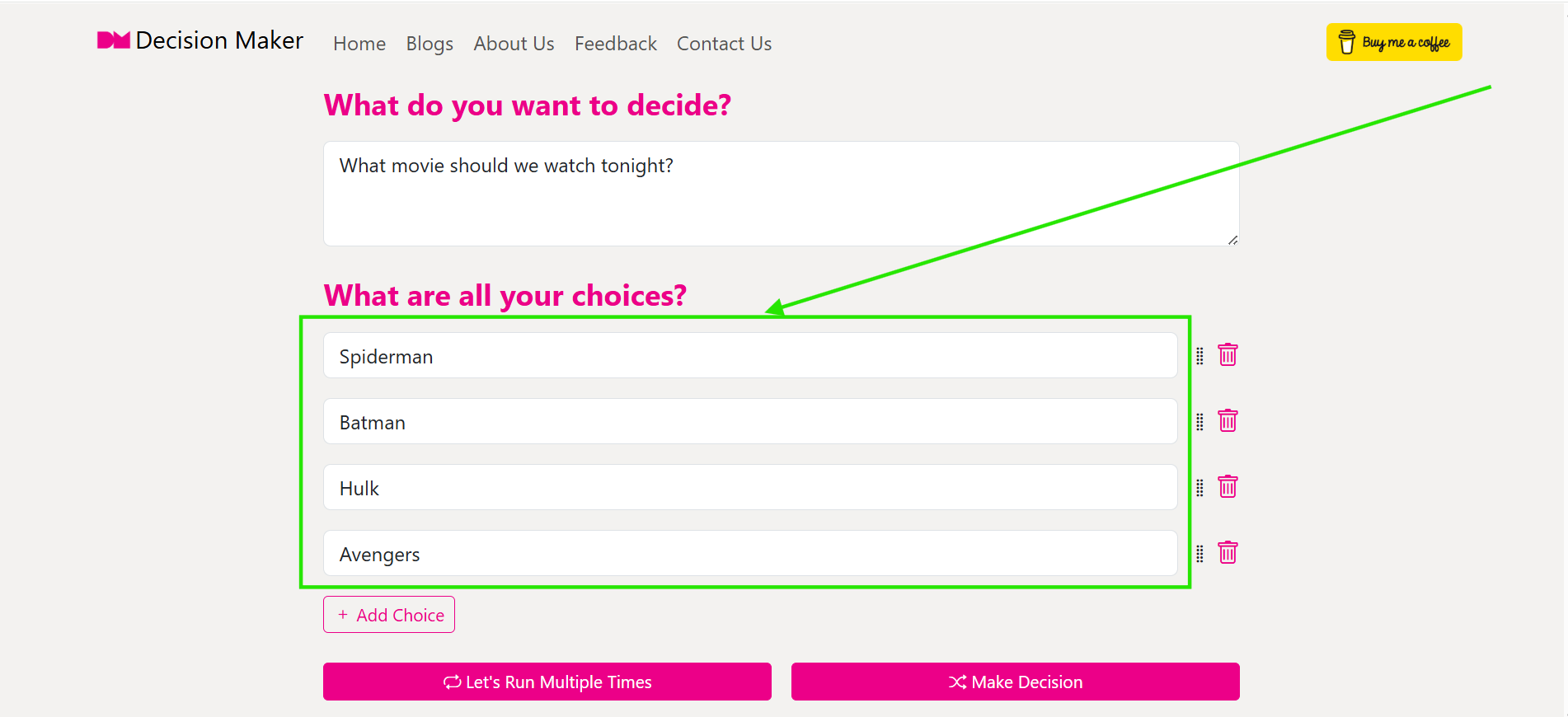
List All Your Choices
Enter your options in the choice fields. By default, we give you four fields to start with. You need at least one choice to make a decision. If you have more than four options, simply click "Add Choice" to create more fields - you can add up to 50 unique choices!
-
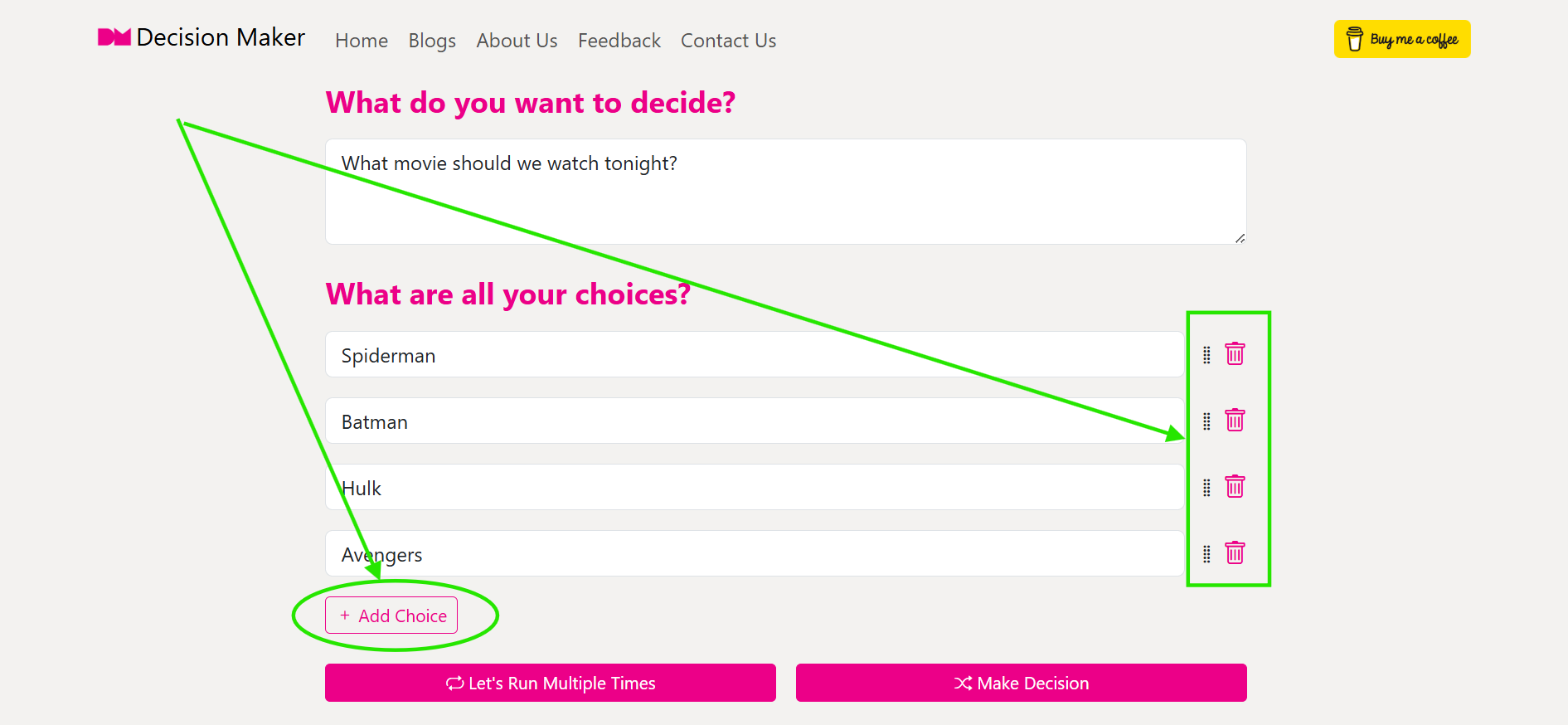
Manage Your Choices Dynamically
Need to refine your list? You have full control:
- Reorder: Use the grip icon on the left to drag and drop choices into your preferred order.
- Delete: Click the trash icon on the right to remove any option instantly.
- Edit: Simply click into any box to change the text of your choice at any time before running the tool.
-
Choose Your Run Style: Single or Multiple
This is where the magic happens. You have two ways to decide:
- Make Decision: This is the standard "pick one" mode. The tool will randomly select exactly one winner from your list and take you straight to the result.
- Let's Run Multiple Times: If you want to see a statistical trend, use this! You can run the decision logic between 1 and 100 times. The tool will show you a breakdown of how many times each option "won," giving you a clear winner based on probability.
-
View, Save, and Share Your Result
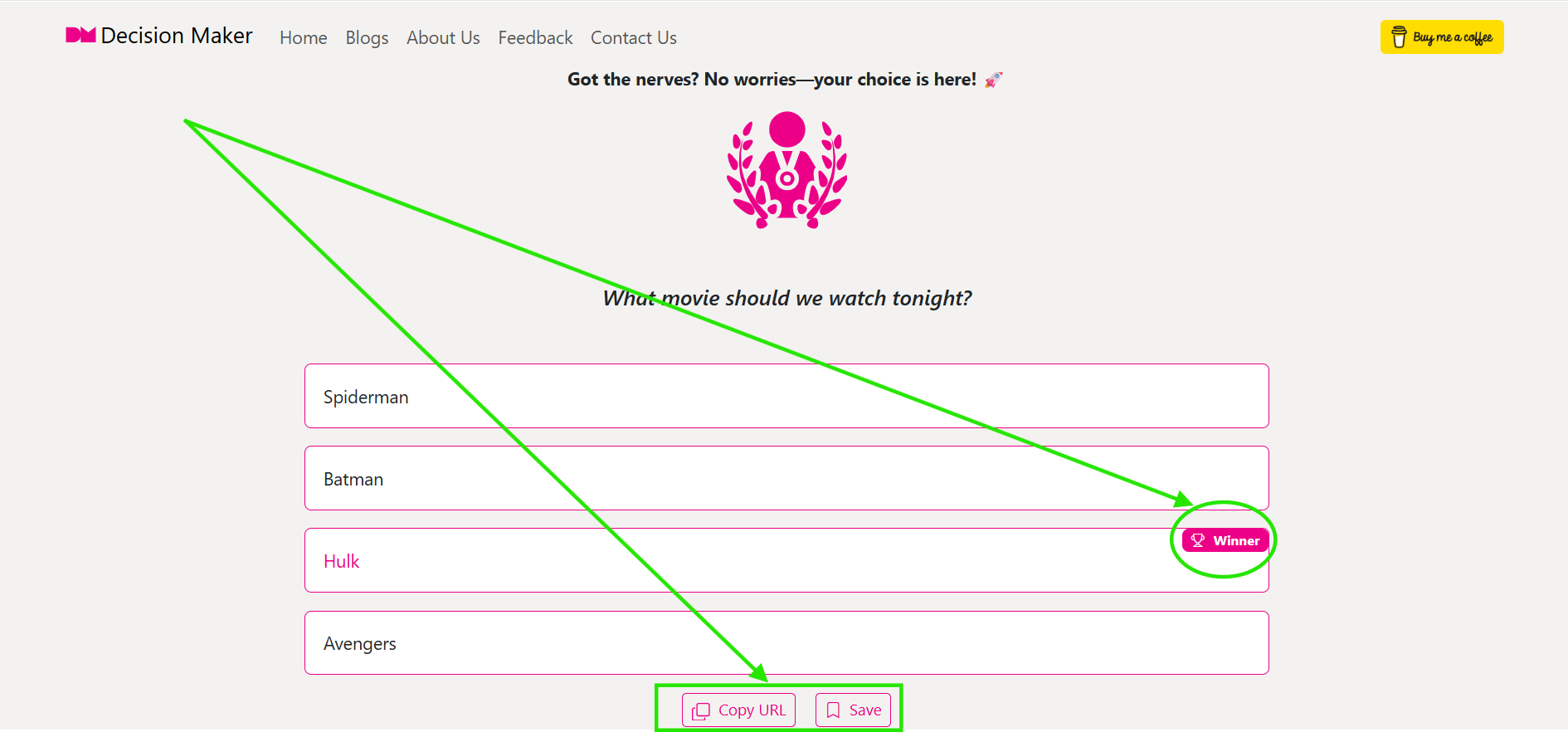
Once the decision is made, you'll see the winner celebrated with confetti! From the result page, you can:
- Copy URL: Get a unique link to your decision result to share with friends or family so they can see what the "fate" decided.
- Save: Click the Save button to bookmark this result. Unsaved results are automatically cleaned up after 30 days, so saving ensures you can revisit it later.
- Decide Again: Not happy with the result? You can try again instantly, edit your choices, or use the "Change Preference" option to exclude the previous winner from the next round.
Frequently Asked Questions
-
Is this Decision Maker tool really free?
Yes, absolutely! You can make unlimited decisions, run as many multiple trials as you want, and save your results without ever paying a cent. No hidden subscriptions or account requirements.
-
How does the "Multiple Runs" feature work?
When you choose multiple runs, the tool executes its random selection algorithm for the number of times you specify (e.g., 50 times). It then aggregates the results, showing you the "Winning Count" and percentage for every choice. It's a great way to see which option is statistically favored in a large set of random outcomes.
-
Can I share my decision generated using Decision Maker tool with others?
Yes! Every decision result gets its own unique URL. Just click the "Copy URL" button on the result page and send it to whoever you want. They will see the exact same result, question, and choices that you saw.
-
How long are my results kept in Decision Maker tool?
By default, results are stored for 30 days. If you want to make sure your result isn't deleted, just click the "Save" button on the result page. Saved results are flagged in our system for long-term storage.
-
What happens if there is a "Tie" in multiple runs?
If two or more options win the exact same number of times during multiple runs, the tool will intelligently mark them as a "Tie" instead of picking a single winner. This gives you a fair representation of the statistical outcome.
-
How to add multiple choices in one click?
Since you can add multiple options in our Decision Maker tool, instead of clicking "Add choice" button every time, you can click "Import choice" button and type each choice one by one and click "Import". This will add all your choices in one click.
-
What happens if I click "Reset All" button?
When you click "Reset all" button in Decision Maker, all your questions and choices will be cleared.
Features
Simple, Easy, Random & Fast
Experience swift and straightforward decision-making with our website. It's designed for speed and simplicity, ensuring you make choices with ease.Add, Remove, and Reorder Choices
Easily manage your choices by dynamically adding, deleting, or reordering them. Tailor your decision-making setup to fit your unique needs and preferences.Make Unlimited Decisions with same Questions and Choices
Make decisions as many times as you need with the same set of questions and choices. Enjoy the flexibility to refine and revisit your choices without limitations.Refine Decisions by Removing Previously Selected Choices
Adjust your decision-making process by removing previously selected choices. This feature helps you refine choices for more accurate and relevant decisions.Revise Your Decisions by Editing Questions and Choices
Edit and update your questions and choices to adapt your decision criteria. Our tool offers the flexibility to customize inputs for better decision outcomes.Run multiple times
Run your decisions multiple times between 1 to 100 and get a final results with just one click. Our decision maker tool design to make the decision making a easy one!Your Ultimate Decider Machine
Use our free online decider machine to automatically resolve arguments, pick random winners, or choose tasks fairly. Our tool handles choices quickly without bias.Who Is Decision Maker For?
For Teachers
An interactive and fair random student picker for classroom participation. Ensure every student has an equal chance to answer questions, present in class, or join group projects without any bias.For Couples
The ultimate "where should we eat tonight" or "what movie should we watch" randomizer. Instantly settle friendly debates over whether to order Biryani, Momos, or Pizza, or decide what Bollywood show to stream.For Productivity
Quick task prioritizing when you are overwhelmed with chores. If you can't decide between finishing office reports, studying, or clearing bills, run a quick randomizer to break decision paralysis and get started.For Gamers
A clean random loot, character, or event generator for tabletop game nights. Easily randomise choices, assign event outcomes, or draft custom rules for your games with friends.For Teenagers
Too confused to text or call your crush? Enter your question and choices in our app. Before we reveal the answer, trust your instincts - your heart may already know what to do.Is Decision Maker Truly Random?
Unbiased Randomization Algorithm
Yes! Decision Maker uses an advanced mathematical process called a Pseudo-Random Number Generator (PRNG) to make sure every outcome is completely unbiased. Instead of guessing, our algorithm begins with a dynamic digital "seed" - an unpredictable value determined by the exact millisecond you tap the button. This seed is processed through a complex mathematical formula that generates highly unpredictable number sequences, ensuring that every choice you enter has an absolutely equal probability of being picked. There are no patterns, no memory of previous runs, and no room for human bias - delivering a fair decision every time.Examples of using Decision Maker
Here are some example scenarios where decision-making can be either a breeze or a challenge:
- What should I get her for her birthday? View
- 1. A cute personalized mug
- 2. A lovely plant
- 3. A gift card to her favorite shop
- 4. A fun experience (like a cooking class) Winner
- 5. A cozy blanket
- Should I rock all blue today? View
- 1. Absolutely, love that vibe! Winner
- 2. Nah, I wanna mix it up a bit.
- Should I text her first? View
- 1. For sure, let’s get the convo going!
- 2. Nah, I’ll wait for her to text me. Winner
- 3. Maybe, I’ll think of something clever first.
- What’s for dinner tonight? View
- 1. Pasta with marinara
- 2. Stir-fried veggies and tofu
- 3. Tacos with ground turkey Winner
- 4. Grilled chicken with veggies
- 5. Homemade pizza
- Should I accept his friend request? View
- 1. Totally, why not?
- 2. Nah, not really feeling it. Winner
- 3. Maybe??
- Listen to music or a podcast on the way? View
- 1. Music, let’s get pumped! Winner
- 2. Podcast, something interesting.
- 3. Audiobook for a good story.
- 4. Switch it up depending on my mood.
- Should I call him or just text? View
- 1. Call, I feel like chatting.
- 2. Text, quick and easy. Winner
- 3. Wait and see if he reach out first.
- What should I wear to work? View
- 1. Casual but nice outfit
- 2. Dress it up a bit Winner
- What’s for breakfast? View
- 1. Oatmeal with fruit
- 2. A smoothie sounds good
- 3. Scrambled eggs and toast Winner
- Movie or book tonight? View
- 1. Movie, let’s keep it light! Winner
- 2. Book, I need some quiet time.
- 3. Both! A short film then read.
- 4. Binge-watch a series instead.