
YouTube Playlist Length
Calculate the exact total duration, average video length, and playback speed estimates for any YouTube or YouTube Music playlist with YTP Length. Fast, free, and no sign-up required.
Calculate the length of any YouTube playlist
Paste a YouTube or YouTube Music playlist URL to get the total duration, speed breakdowns, and video stats with advanced sorting options.
Usage Tips
- • This tool only counts public videos. We cannot include hidden or deleted videos because YouTube does not share that information in the official API.
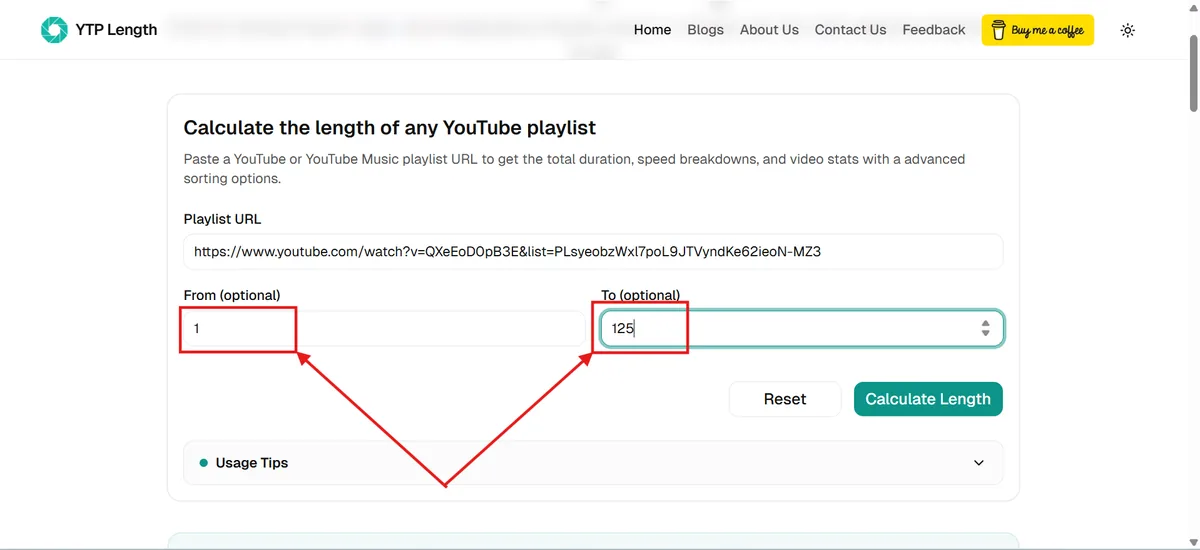
- • You don't have to calculate the whole playlist. You can measure just a specific section using the "From" and "To" input boxes.
- • Leave ""From"" empty? We start at the very first video.
- • Leave ""To"" empty? We count all the way to the last video.
- Example: If you want to check the length of videos 11 through 40, just type 11 in the "From" box and 40 in the "To" box.
New Tool: YouTube Channel Length Calculator
We have built an advanced tool to calculate the total duration and stats for any YouTube channel. You can filter uploads by long-form videos, Shorts, or Live streams, check popular content, and plan study tracks. Try the YouTube Channel Length Calculator here!
Resume Your Playlists (History)
Enter a playlist URL above to see real statistics
Playlist Title
0 videos
Total Duration
0 Hours, 0 Minutes, 0 Seconds
1.25× Speed
0 Hours, 0 Minutes, 0 Seconds
1.5× Speed
0 Hours, 0 Minutes, 0 Seconds
1.75× Speed
0 Hours, 0 Minutes, 0 Seconds
2× Speed
0 Hours, 0 Minutes, 0 Seconds
Average Duration
0 Minutes, 0 Seconds
Supported URL Formats
Our parser is designed to handle multiple link types automatically. You can paste any of the following formats directly into the calculator:
YouTube Playlist
Standard video playlist URLs from YouTube.
Video in Playlist
A YouTube video link that includes a playlist ID parameter.
YouTube Music Playlist
Album and track playlist links from YouTube Music.
Playback Speed & Study Planning Intelligence
Calculating your total YouTube playlist length is just the starting point. Understanding how watch time scales across playback speeds helps you plan realistic study blocks, overcome backlog anxiety, and finish courses faster.
1.25× Speed · Fast & Clear
Ideal for dense technical coding tutorials, mathematics lectures, and fast speakers where you need a brisk pace without voice distortion.
1.50× Speed · The Sweet Spot
The industry standard for learning. Cuts one-third of your total commitment while keeping audio completely crisp and comfortable.
1.75× Speed · Rapid Review
Great for reviewing familiar subjects, exam revision, concept recaps, or listening to naturally slow seminar speakers.
2.00× Speed · Maximum Speed
Halves your entire commitment time. Excellent for high-level overviews, podcasts, webinars, and recorded meeting archives.
Real-World Study & Course Completion Scenarios
See how speed adjustments transform practical study schedules across standard tutorial and course formats:
e.g. Docker, Git, or SQL basics
Finish across a 2-day weekend at ~3.5 hours per day.
e.g. React or Full-Stack series
Saves a full 8-hour workday of study time.
e.g. CS50, Algorithms, or AI
Recovers 13.3 hours to dedicate to building projects.
Adjusted Watch Time = Playlist Duration ÷ Playback Speed
YTP Length Features
The core functionality of the YTP Length tool is to find the YouTube Playlist Length, but we don't stop there. Apart from finding the YouTube Playlist Length, we offer a wide variety of advanced features like different playback speeds, average video duration in the playlist, sorting YouTube playlists, and other video stats.
Find any YouTube Playlist Length
Calculate the length of any YouTube playlist accurately. Along with the playlist length, get the average duration of a video in the YouTube playlist.
Simple, Fast & Free
YTP Length is very simple to use, fast to get results & free forever. No sign-up needed and no daily limit. Unlimited playlists every day.
Different Playback Speeds
Our YTP Length tool gives the YouTube Playlist Length for different playback speeds like 1x, 1.25x, 1.5x, 1.75x & 2x.
Sort YouTube Playlists
YTP Length sorts your playlists in different orders like Latest, Oldest, Most Liked, Most Viewed, Shortest & Longest in a single click.
Analyze Video Details
You get the stats (like Views, Comments & Likes) for all the videos in the playlists. You can also view the videos directly from YTP Length.
Find the Length for a Specific Range
You can specify the Start & End video numbers and get the Playlist Length calculated for that specific range of videos.
Search Playlist Videos
Instantly filter videos in the playlist by their title using our real-time search functionality. The statistics update dynamically as you type.
Study Session Planner
Plan your learning schedule by estimating completion days. You can set daily study hours or a target number of videos to watch per day.
Quick YouTube Playlist Links
Need to grab your playlist URL? Use these handy shortcuts to directly open your library, saved items, or subscription feeds. Click to view the playlist instantly!
Watch Later
Your saved videos to watch next
Liked Videos
Every video you have thumbs-up'd
Liked Music
Your liked songs and tracks
My Playlists
Browse all your custom lists
Music Library
Manage your music library and uploads
My Subscriptions
Latest videos from subscribed channels
How to Calculate YouTube Playlist Length for Free
Calculating the length of a YouTube playlist with our free tool is simple and straightforward. In just a few clicks, you can do much more. However, if you'd like a step-by-step guide, follow the instructions below to learn how to use the tool.
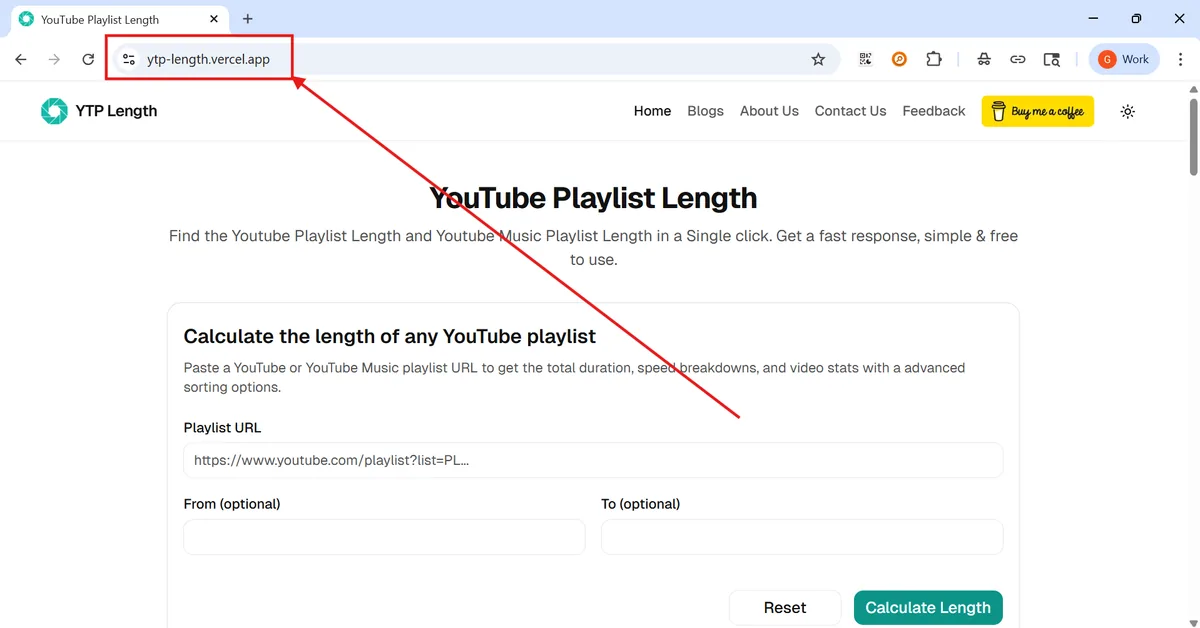
Step 1: Visit the YouTube playlist length calculator page to access the tool.
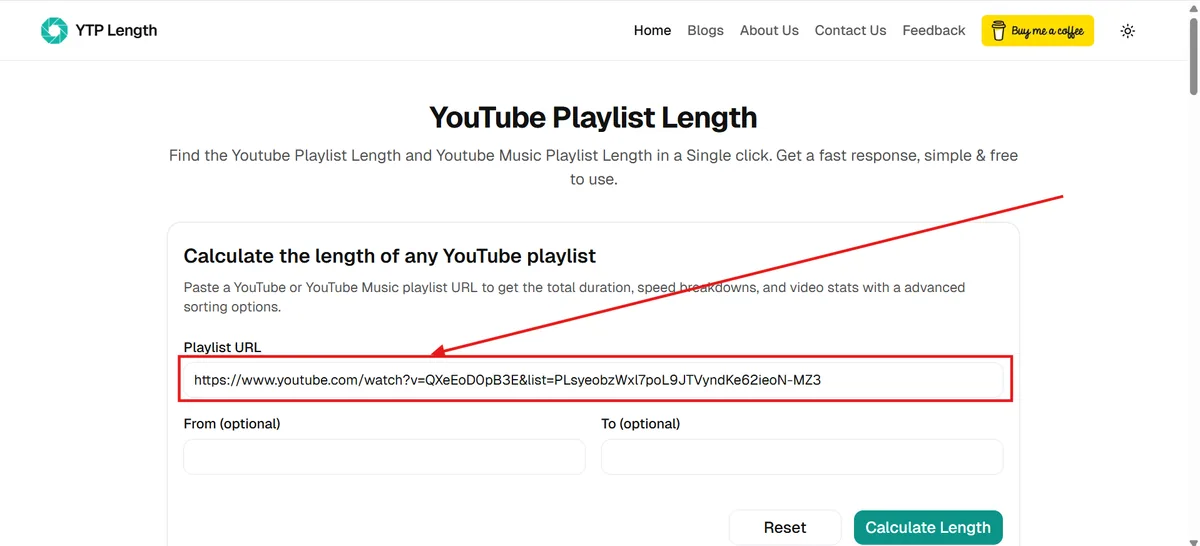
Step 2: Paste your YouTube or YouTube Music playlist URL. Make sure the playlist is public or unlisted. If you have a private playlist, temporarily make it public or unlisted.
Step 3: Enter specific 'From' and 'To' video numbers if you only want to calculate a certain range. However, this is optional. You can leave it empty to calculate the entire playlist.
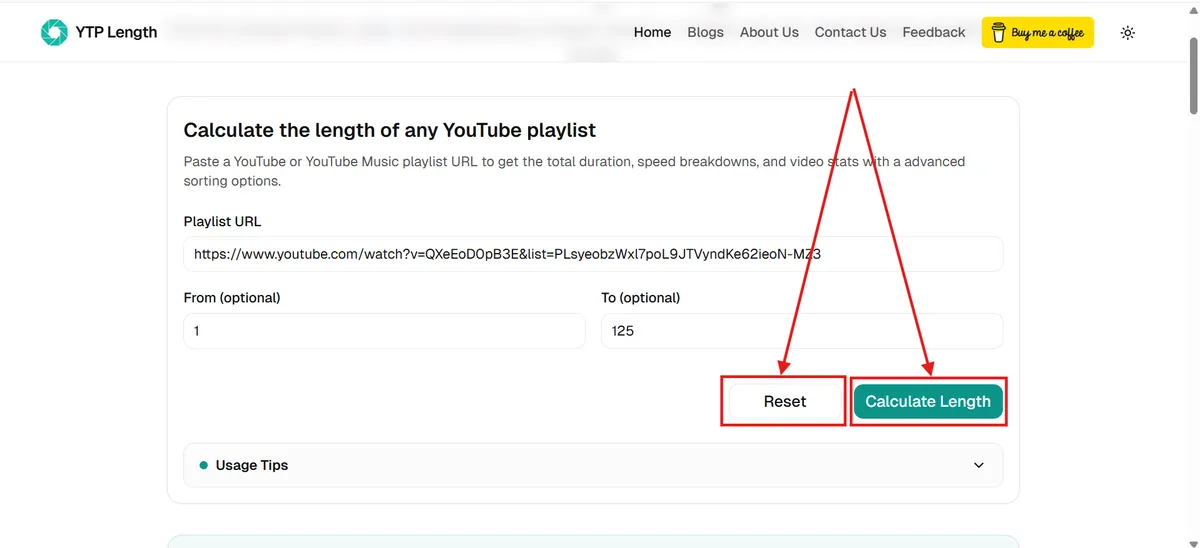
Step 4: Click the 'Calculate Length' button to find the YouTube Playlist Length or click 'Reset' to clear all fields and start over.
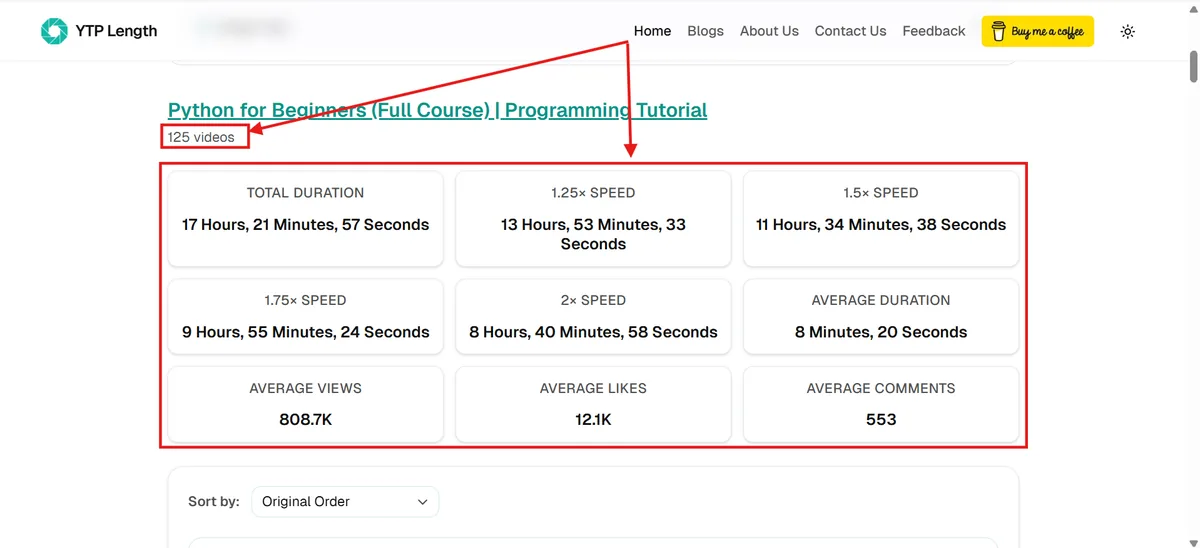
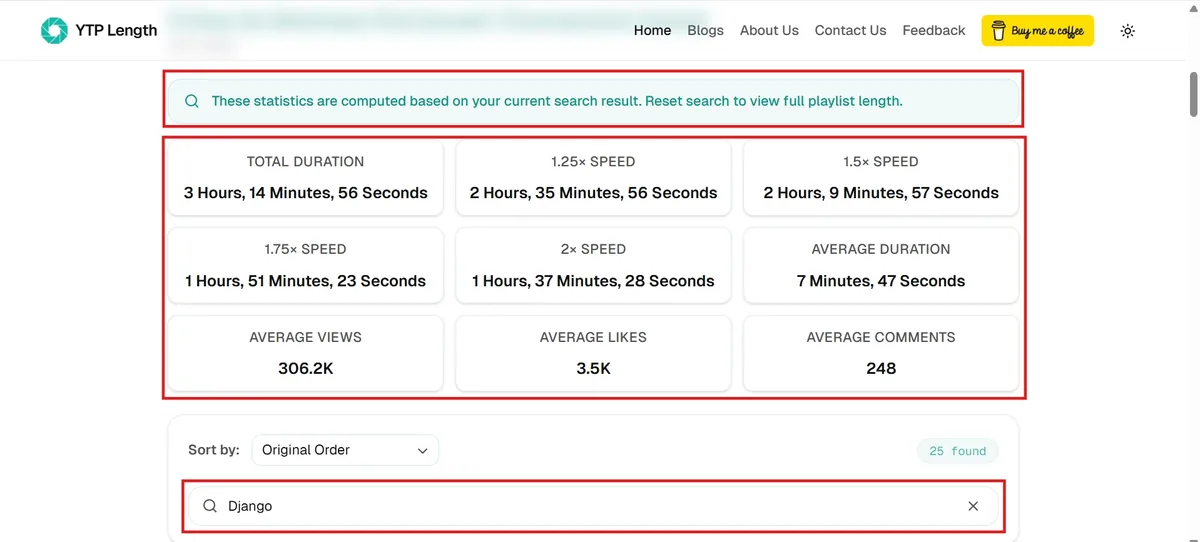
Step 5: You can find the total duration of the playlist in hours, minutes, and seconds. You can also find the total duration of the playlist in 1.25×, 1.5×, 1.75×, and 2× speeds. Additionally, you can find the average video length, average views, average likes, and average comments.
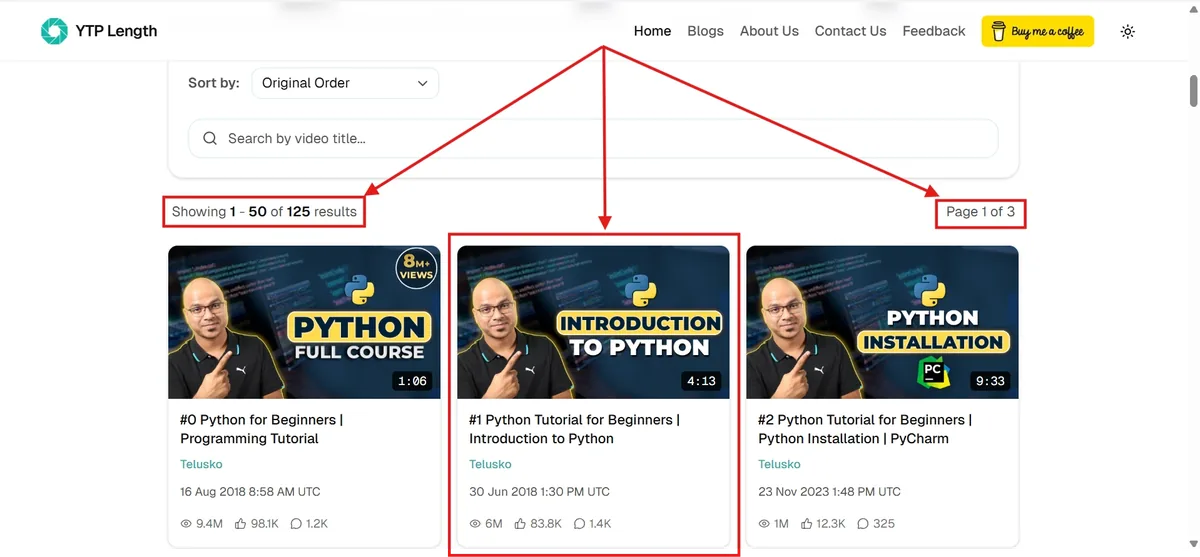
Step 6: Scroll down to see the individual video stats, including Thumbnail, Title, Channel, Upload Date, Duration, Views, Likes, and Comments.
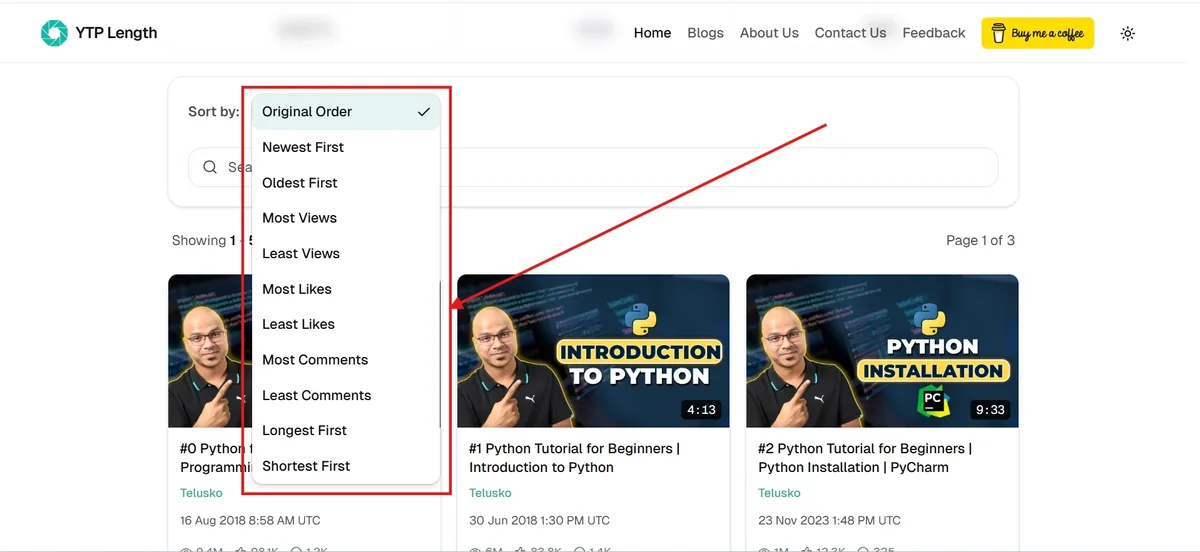
Step 7: Use the sort dropdown to sort the YouTube Playlist or YouTube Music Playlist by views, likes, comments, date, duration, or original order.
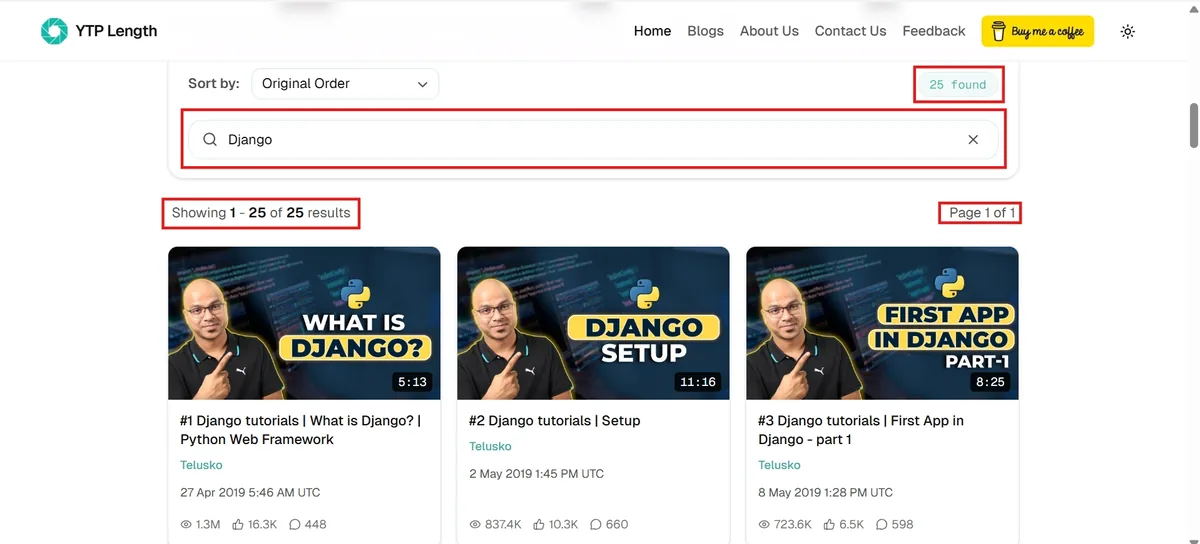
Step 8: Search for specific videos by title; the videos and statistics will dynamically update to match your search results.
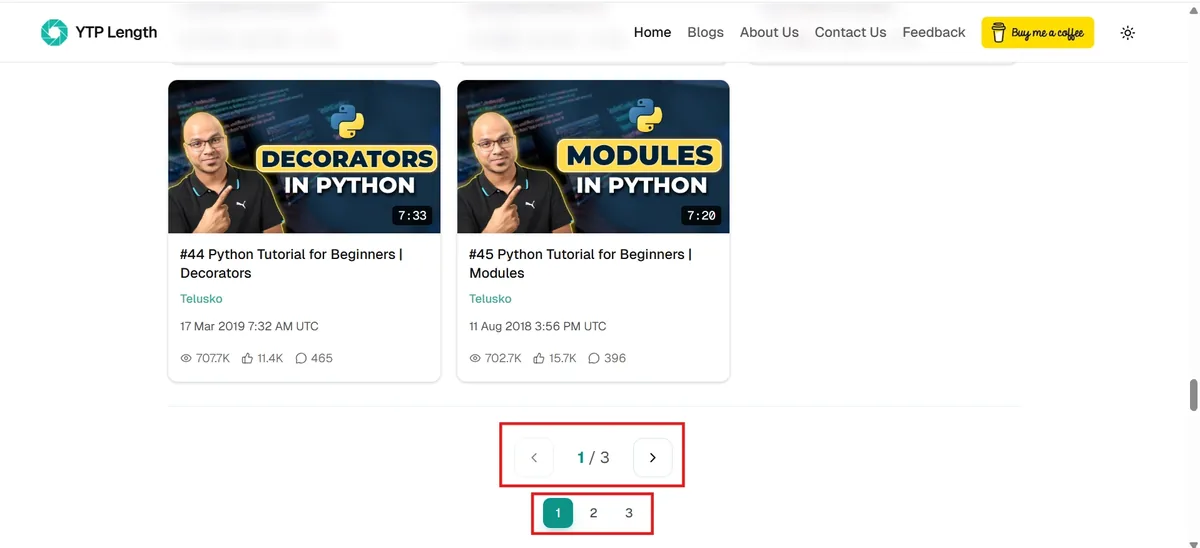
Step 9: If your playlist is large, you can navigate and view all the videos & their stats by using the 'Next' & 'Previous' buttons at the bottom.
If you're having trouble with any step or the calculator isn't working as expected, make sure your playlist URL is correct and the playlist is publicly accessible. Hidden or private videos in playlists are automatically excluded from calculations.
You can reach out to us by using this link , making sure to fill in the Playlist URL.
Frequently Asked Questions
Is there any daily limit when calculating YouTube playlist length on YTP Length?
What playback speeds are supported?
Is this YouTube playlist length calculator free to use?
Do I need to create an account or sign up to use the tool?
Is there a limit on the number of videos a playlist can have?
Can I sort videos within a YouTube playlist by likes, views, or duration?
Can I calculate the length of a specific video range in a YouTube playlist?
Why does the calculated total duration sometimes differ from YouTube's estimate?
Does this calculator work with YouTube Music playlists?
How does the range feature help developers and students plan their study time?
How is the 'Average Duration' metric calculated?
YTP Length vs. YouTube Native
Discover how YTP Length adds powerful features that are completely missing from the standard YouTube experience, helping you analyze and plan your viewing time.
| Feature | YTP Length | YouTube Native |
|---|---|---|
| Calculate Total Playlist Duration | ||
| Calculations at Different Playback Speeds | ||
| Calculate Duration for Specific Range | ||
| Advanced Playlist Sorting | ||
| Detailed Video Engagement Statistics | ||
| Dynamic Real-time Title Search | ||
| Daily Study Session Planner |
Disclaimer: YTP Length is an independent web application and is not officially affiliated with, endorsed, or sponsored by YouTube or Google. We fetch publicly available data through the official YouTube Data API.
Why Should I Know the Length of a YouTube Playlist?
By default, YouTube does not provide a native feature to sum up the running times of playlist videos. Knowing the combined duration of a YouTube playlist is critical for effective time management, whether you are planning a self-paced study course, scheduling online tutorials, or structuring workout playlists.
For self-directed learners and developers, knowing the total duration allows you to divide the course curriculum into daily workloads, align videos with time-blocking techniques like Pomodoro, and estimate exactly how many days or weeks are needed to master a new skill. To understand how playlist architectures and quotas function behind the scenes, check out our guide where we have debunked 16 common playlist misconceptions.
Plan Your Learning
When you are learning something from a YouTube playlist, knowing the total duration helps you break the course down into manageable chunks without feeling overwhelmed.
Watch Web Series Smartly
Watching an anime series or any web series on a YouTube playlist? Find out exactly how many hours of popcorn and snacks you're looking at before you even hit play.
Perfect for Workout Routines
If you have a playlist of fitness or yoga videos, knowing the combined length guarantees your workout fits perfectly into your morning schedule without making you late for work.
Speed Up and Save Time
Not everyone watches at normal speed. By seeing exactly how much time you save at 1.5x or 2x speed, you can improve study sessions and plan your day.
Our Latest Blogs
Stay updated with our latest articles, insights, and study tips to get the most out of your YouTube playlists.
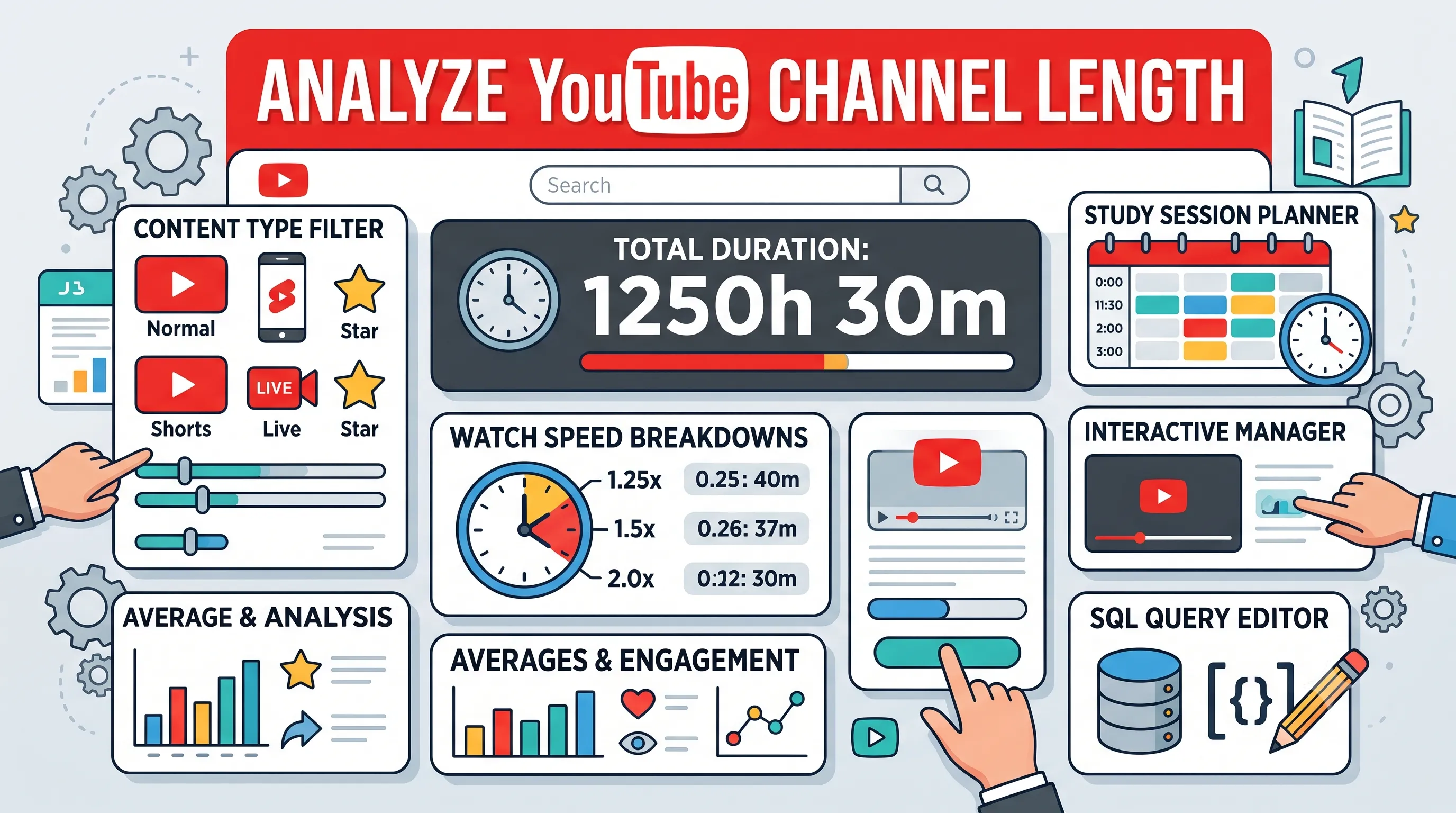
How to Find the Total Length of a YouTube Channel
Learn how to instantly calculate the total duration of all videos on a YouTube channel, filter by videos or shorts, and analyze average view times.
Read Article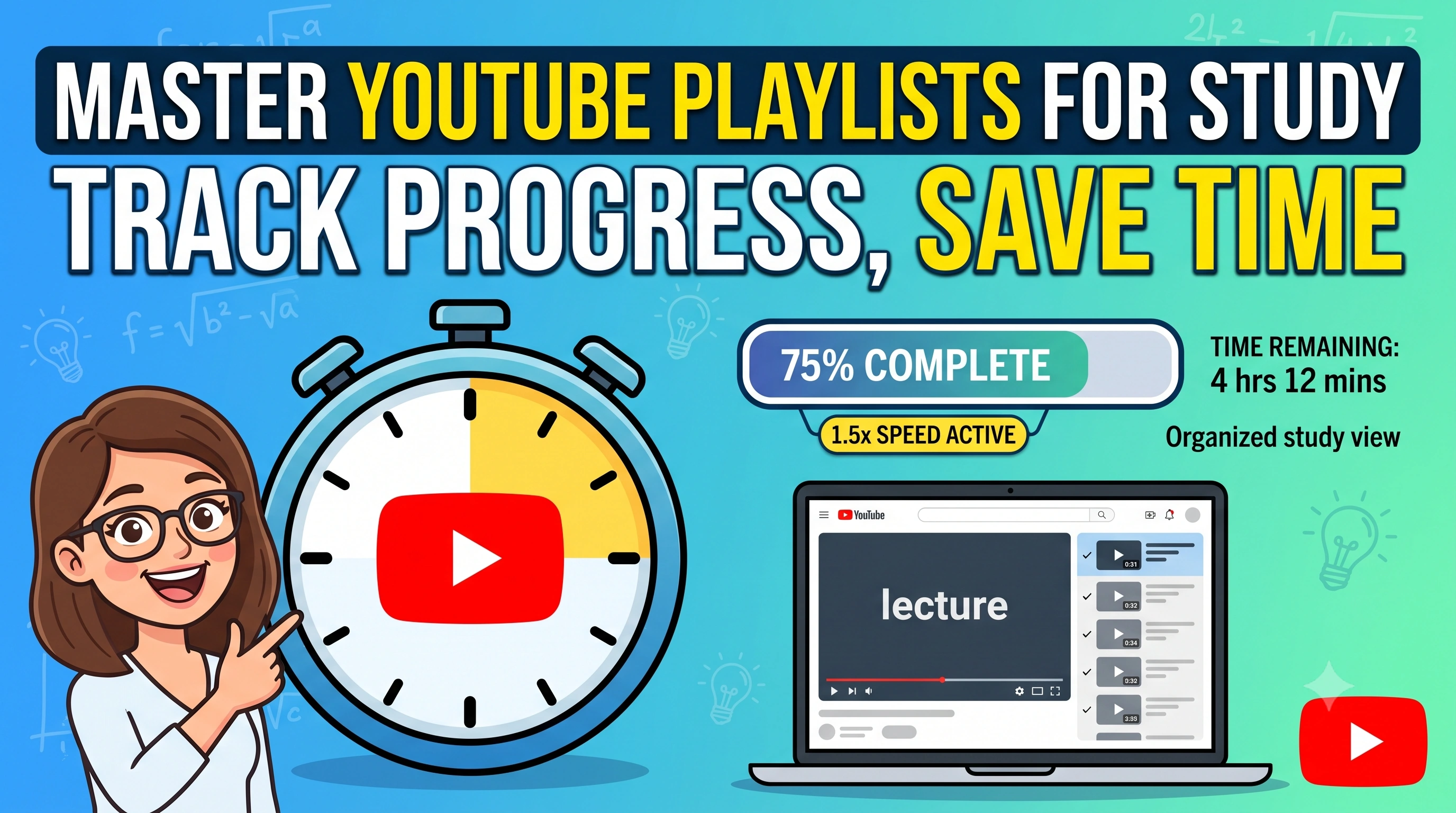
How to plan your study session with YouTube Playlist Length Calculator
A complete guide on how students can track progress, manage study time, and learn efficiently using the interactive Study Manager in our YouTube Playlist Length Calculator.
Read Article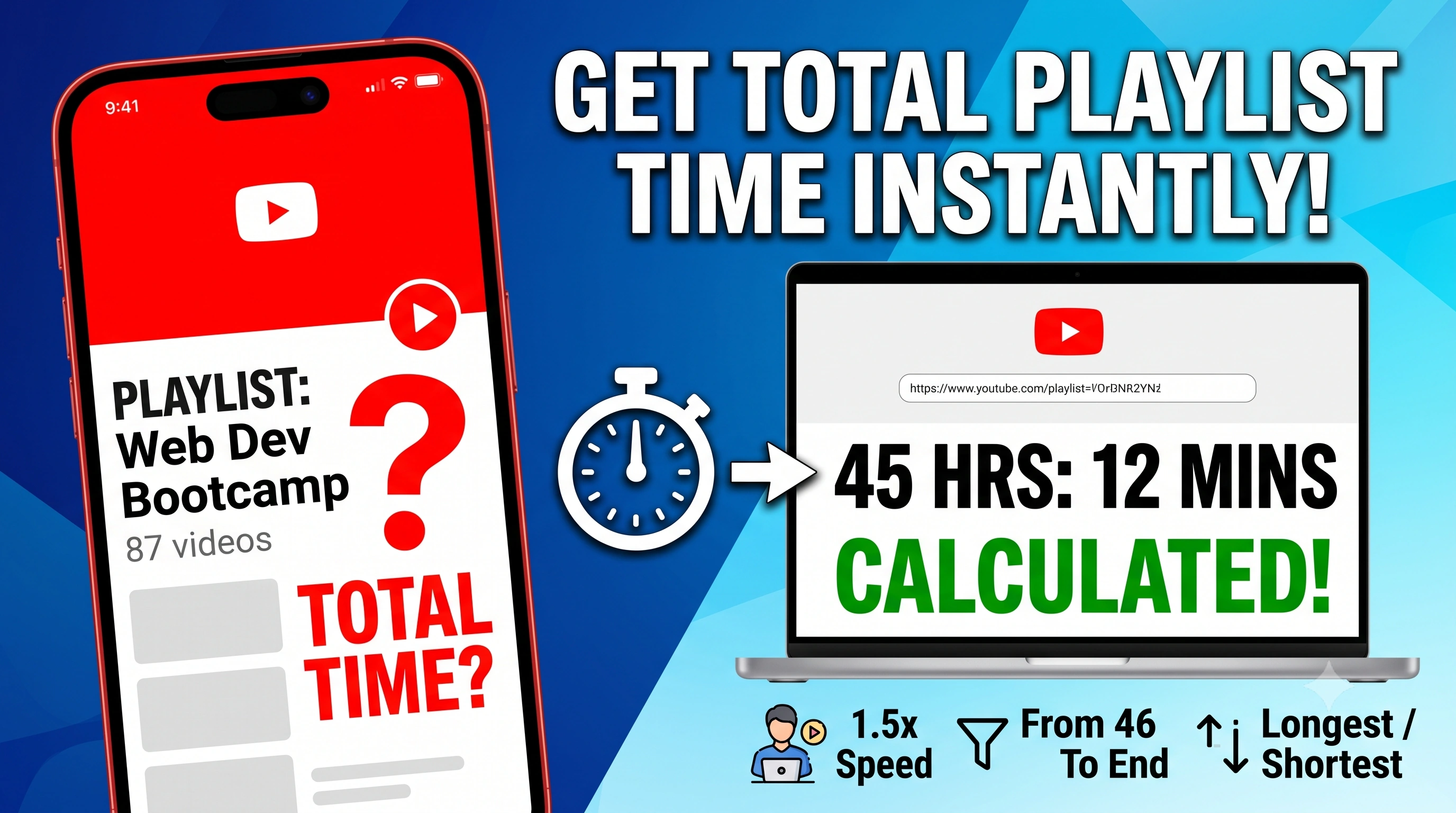
How to Find the Total Length of a YouTube Playlist
Learn how to instantly calculate the total duration of any YouTube playlist, filter watched videos, and sort them by views and length.
Read ArticleLooking for more guides and tips? Check out our complete list of articles.
View All Blogs